
Charcuterie board handle template
An oval finger hole at the end of a cutting or serving board, offset for your guide bushing and printed as a 3MF.
Oval default 80 × 50 mm · hole mode · 3MF, SVG or DXF
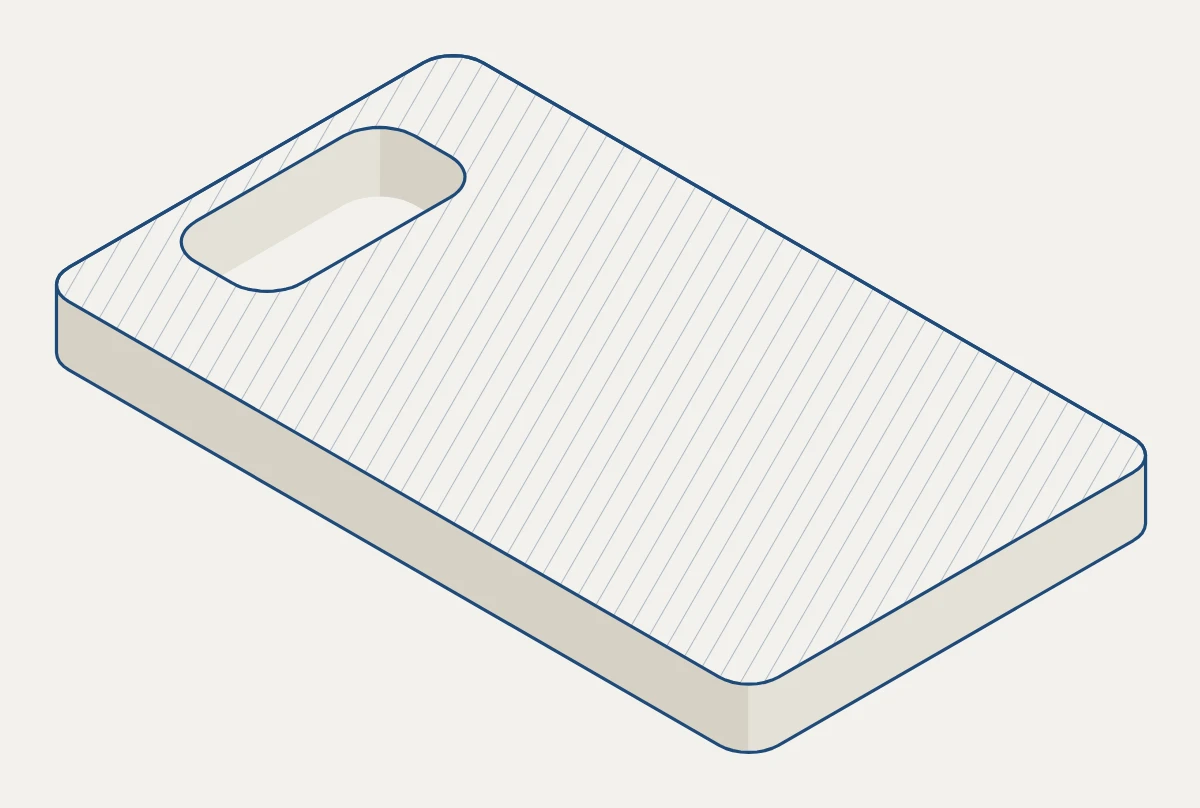
A finger hole for a board handle
A cutting board, a serving board or a charcuterie board is easier to carry with a hole at one end. A finger hole is an oval opening big enough for your fingers, cut right through the board.
Drilling and sawing a clean oval is awkward. With a router and a template, the opening comes out smooth and the same every time, and you can make a matching one for the next board.
An oval template in hole mode
Open the generator on the oval shape. The default is 80 × 50 mm, and you can change the length and the width to fit the hand or the board. Pick your guide bushing and bit and keep hole mode: the template is an opening and the bushing runs on its inside edge.
The offset per side is (bushing outside diameter − bit diameter) / 2, plus a clearance that defaults to 0.25 mm. InlayForge adds it for you, so the hole in the board comes out at the size you drew. Not sure about your numbers? The guide bushing offset calculator shows them.
An oval is one of the six built-in shapes, so its 3MF is free up to 170 mm on one plate, with a small InlayForge mark outside the cut. A paid template ($5.99) removes the mark.
Routing the hole through the board
The hole goes all the way through, so do not cut it in one pass. Set the depth on the router and take several shallow passes, lowering the bit a little each time. Shallow passes are safer, leave a cleaner edge and put less load on the bit.
Put a sacrificial board under the work so the bit does not cut your bench, and clamp the template and the board down firmly before you start.
- Mark where the handle goes at the end of the board and clamp the printed template there.
- Set the first depth on the router and route around the inside of the template with the bushing against the edge.
- Lower the bit a little and route again. Repeat until the bit is through the board.
- Remove the template and round over the edges of the hole and the board with a roundover bit or sandpaper so it feels good in the hand.
A hole or an inlaid piece
You can also cut the oval as a piece. In piece mode the bushing runs around the outside of a solid shape, so you can make a matching plug or a decorative insert in a contrasting wood.
For a plain finger hole you only need hole mode. If you want a pocket and a piece that fit each other, look at inlay kit templates.
Questions about board handle template
How big is the finger hole?
The oval defaults to 80 × 50 mm. You can change the length and the width to fit your hand and your board.
Do I use hole mode or piece mode?
For a finger hole use hole mode. The template is an opening and the bushing runs on its inside edge. Piece mode cuts a solid shape from outside.
Can I cut the hole in one pass?
It is better not to. Set the depth on the router and route in several shallow passes until the bit is through the board.
What do I do after routing?
Round over the edges of the hole and the board so they are comfortable to hold, then sand and finish the wood.
Is the template free?
The 3MF is free up to 170 mm on one plate, with a small InlayForge mark outside the cut. A paid template ($5.99) removes the mark.